Sampler ADV Processor
inspect, split, remap, and batch-edit Ableton Sampler .adv presets
What is this?
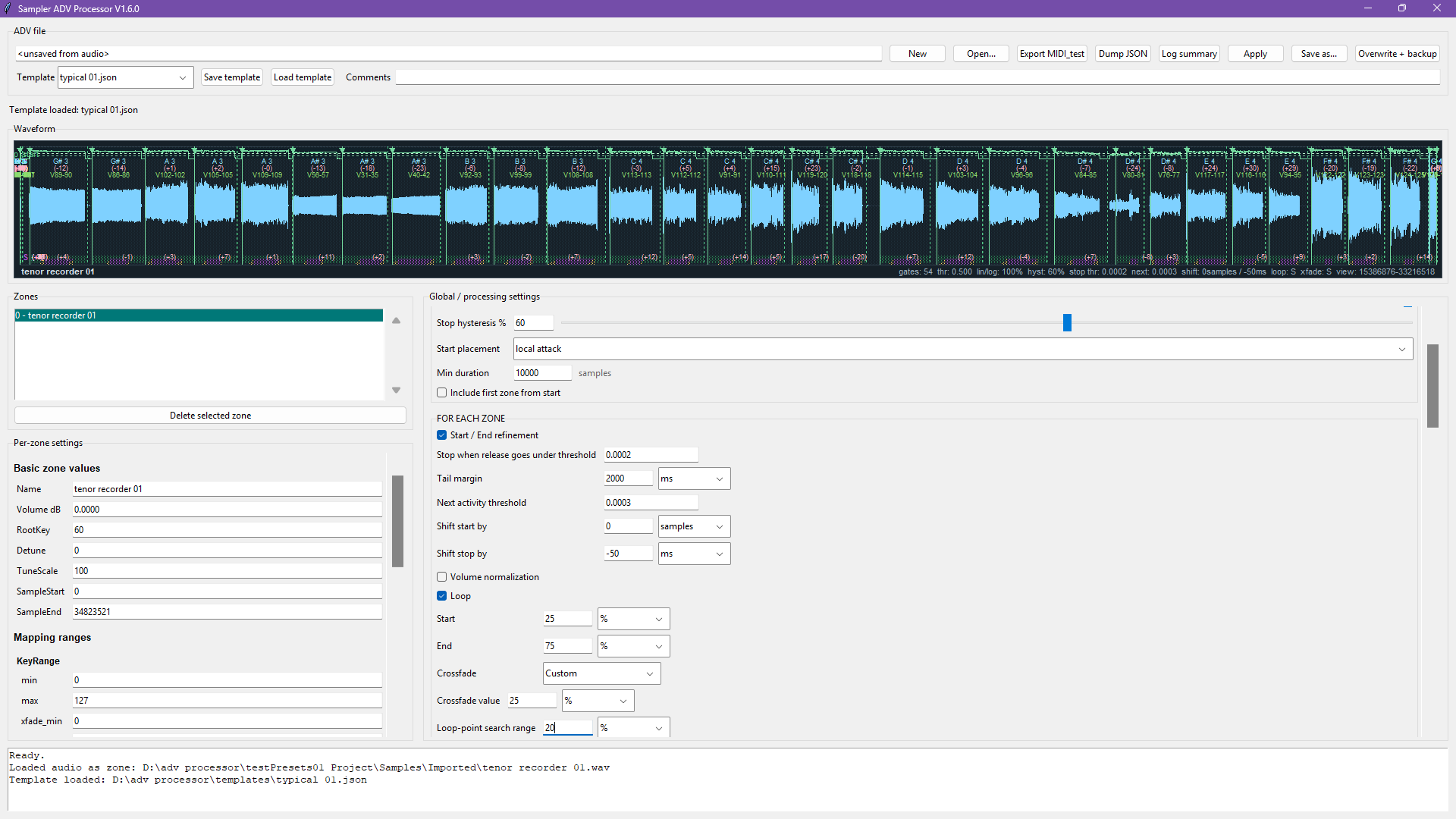
Sampler ADV Processor is a desktop utility for turning rough recordings or existing Ableton Sampler presets into cleaner, more structured instruments.
It can inspect and modify .adv files, split long samples into zones, refine sample boundaries, detect pitch and loop points,
and remap zones faster than doing everything manually inside Live.
The current version is a Python desktop tool, mainly tested on Windows with Ableton Live 12 Sampler presets.
How
In Windows Command Prompt, from the Python environment you want to use:
python -m pip install --upgrade pip
python -m pip install numpy soundfile scipy tkinterdnd2
If soundfile gives trouble, updating pip first usually helps.
From the project folder:
python sampler_adv_processor.py.adv, or drop an audio file to create a new preset from the scaffold..adv.Apply.Save as..., or use Overwrite + backup when you intentionally want to replace the current preset.Uses
Build instruments from recordings
Drop an audio file, create zones, set sample starts and ends, and prepare a new Sampler preset from a rough source.
Edit existing presets
Open an existing .adv, inspect its zones, and change only the parameters you explicitly choose to write.
Detect useful audio features
Refine attacks, releases, root notes, detune values, sustain loops, release loops, and crossfades.
Remap many zones
Spread key zones, parse pitch or velocity from filenames, sort zones, and handle several samples sharing the same playback area.
Video
How
Purpose
Sampler ADV Processor is aimed at sampling workflows where a long recording or a rough Ableton Sampler preset needs to become a structured instrument. It can split one long sample into several zones, refine zone starts and ends, detect root notes and detune values, detect sustain and release loop points, spread or remap key, velocity, and chain ranges, and apply common Sampler defaults across a preset.
Templates
Templates are JSON files stored in templates/. They save global parameter values, global write checkboxes,
processing panel state, and template comments. They do not save selected-zone edits, loop editor state, or range editor state,
so the same template can be reused on different presets without carrying zone-specific data.
Notes
Ableton .adv files are gzip-compressed XML. The tool reads them with gzip,
parses them using xml.etree.ElementTree, applies transformations,
then writes them back as compressed XML.